Connect
Link the Microsoft 365 tenant and bring the estate into view.
SEKURZEN LENZ
Lenz gives IT and security teams one view across Microsoft 365, so they can understand exposure, prioritize risk, and track improvement.

THE PROBLEM LENZ SOLVES
A Microsoft 365 question often starts simply: what changed, what is exposed, and what should we do next? The answer is usually spread across Entra ID, Exchange, SharePoint, OneDrive, Teams, and other Microsoft 365 services, with scripts and one-off exports filling the gaps.

THE CLEARER WORKING VIEW
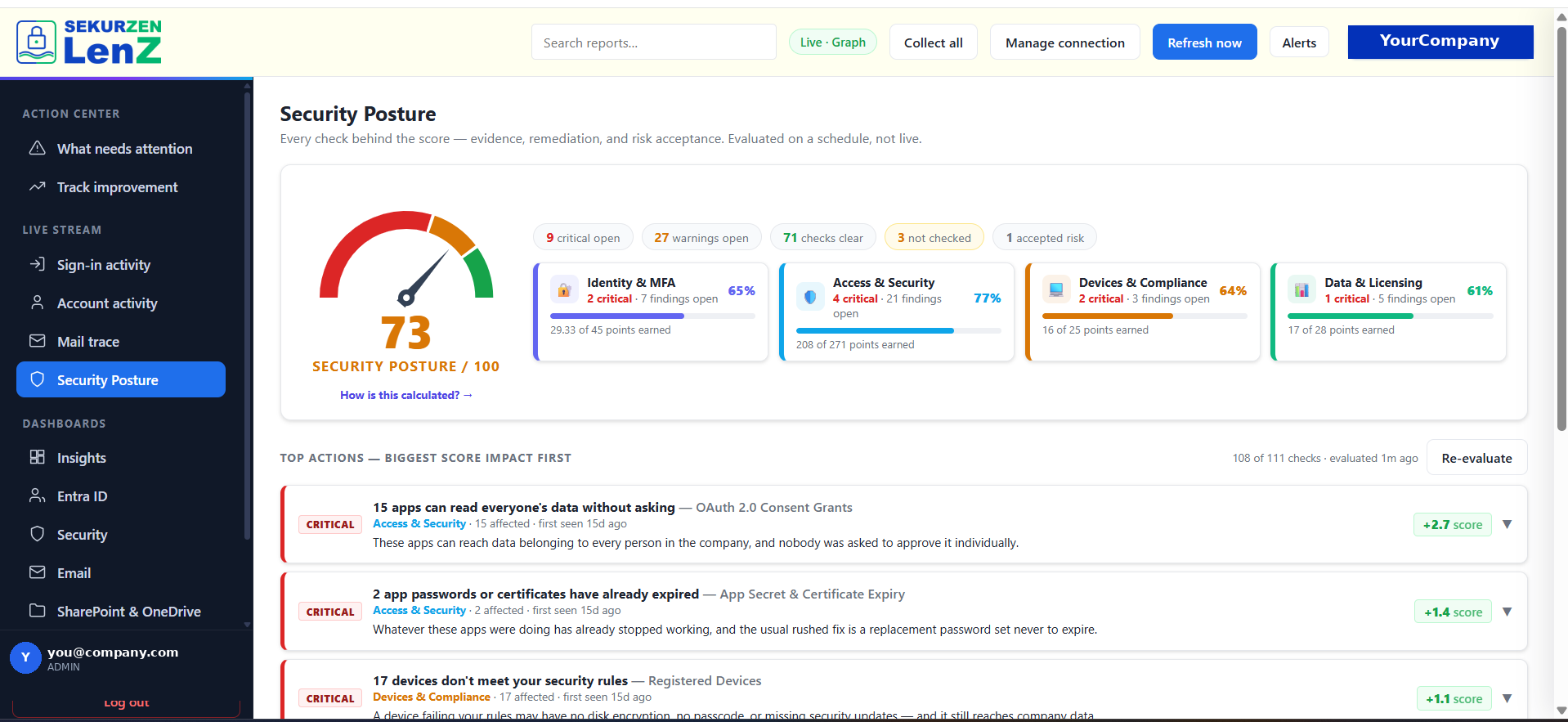
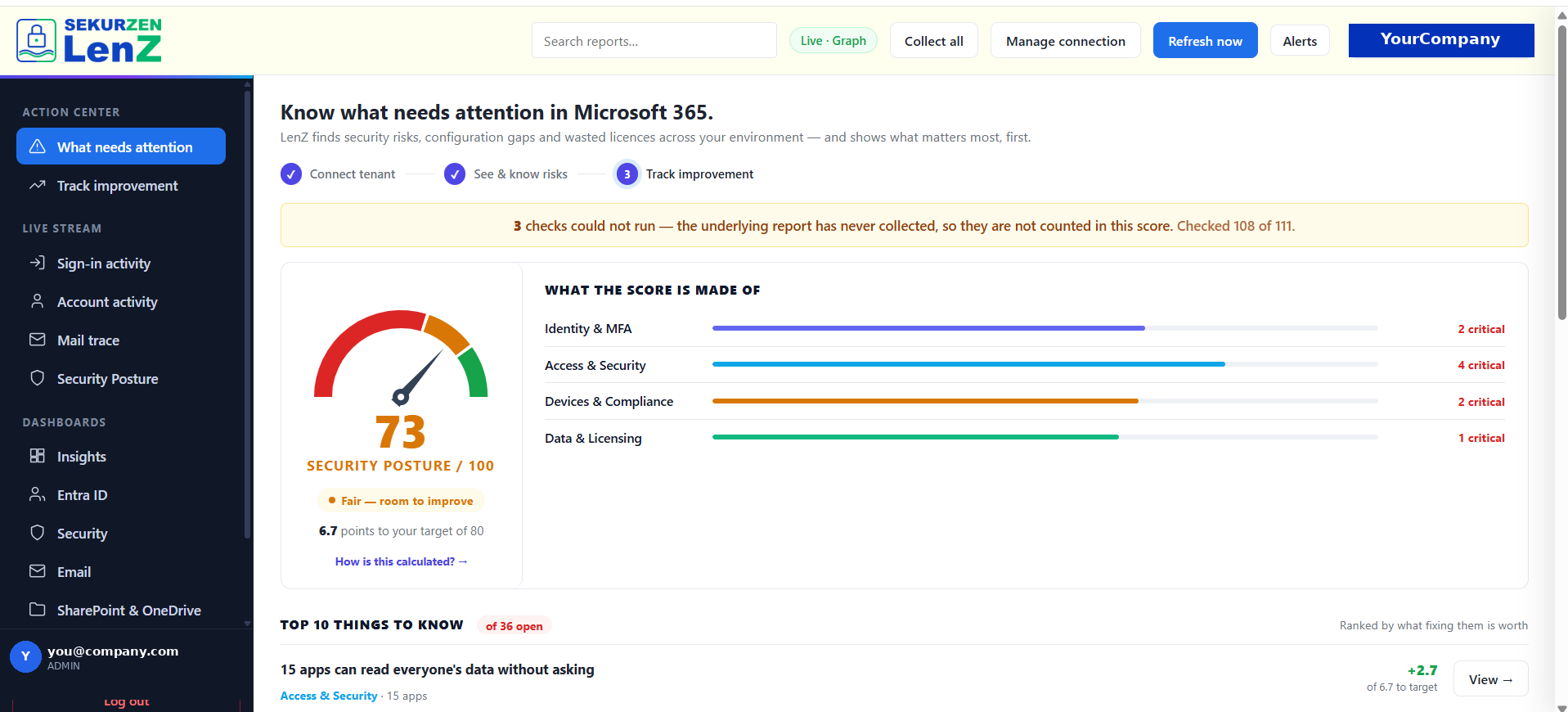
Lenz connects the signals across Microsoft 365 and turns them into a posture score, prioritized findings, and evidence behind each decision.
Instead of asking someone to search six portals, the team can start with what changed, understand why it matters, and agree on the next action.
Book a Lenz demoHOW LENZ WORKS
Lenz turns a complex tenant into a practical rhythm that a smaller IT or security team can manage.
Link the Microsoft 365 tenant and bring the estate into view.
Pull signals from Entra ID, Exchange, SharePoint, OneDrive, Teams, Security, and other Microsoft 365 services.
See posture score, critical risks, controls checked, and operational health.
Use the Action Center to decide what needs attention and track the work.
Follow health trends, monthly changes, and risk aging over time.
Use 248 ready-built reports across ten workload modules when the team needs a deeper view.

BUILT AROUND ACTION
The Insights dashboard shows posture score, critical risks, controls checked, licence opportunity, and operational health. The Action Center turns those signals into a manageable list of work.
WHAT YOUR TEAM CAN SEE
Every customer receives the full 248-report catalogue. Packaging details are discussed directly with the Sekurzen team.
Track posture, open findings, and critical risks on one trend line.
See items opened, checks cleared, records changed, and controls added or removed.
Understand identity, device, email, and data controls, including MFA coverage.
COMMON QUESTIONS
No. Lenz is read-only by design. It requests read permissions and has no product code path that writes to Microsoft 365.
Your administrator creates a single-tenant Entra ID application registration and grants the required application permissions. Lenz uses certificate-backed, application-only authentication, never a signed-in user's delegated access.
No. If a permission is withheld, only the reports that depend on it remain empty. The rest of the catalogue continues to collect and display data, so access can be widened gradually.
Plan for approximately one hour of active setup work. The first full collection usually takes 20 to 40 minutes, with later collection cycles running automatically on their configured schedules.
Lenz stores reporting metadata such as identities, permissions, sharing state, activity timestamps, and message routing details. It does not collect message bodies or file contents. Customer data is isolated.
Yes. A Company Viewer account can provide read-only access to reporting data without granting the person an administrative role in Microsoft Entra ID or the ability to change the tenant.
A USEFUL NEXT STEP
Book a focused product walkthrough with the Sekurzen team.